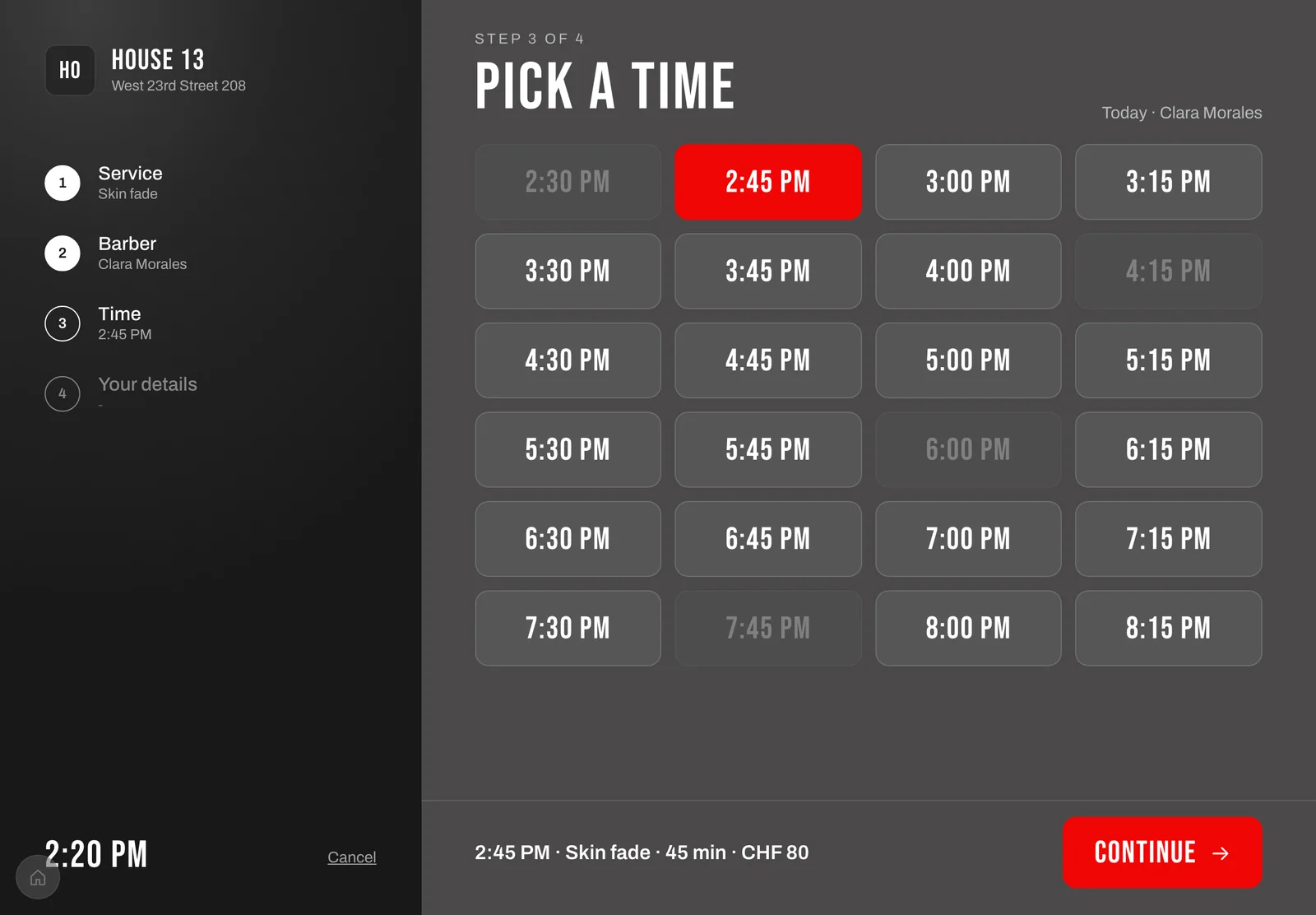
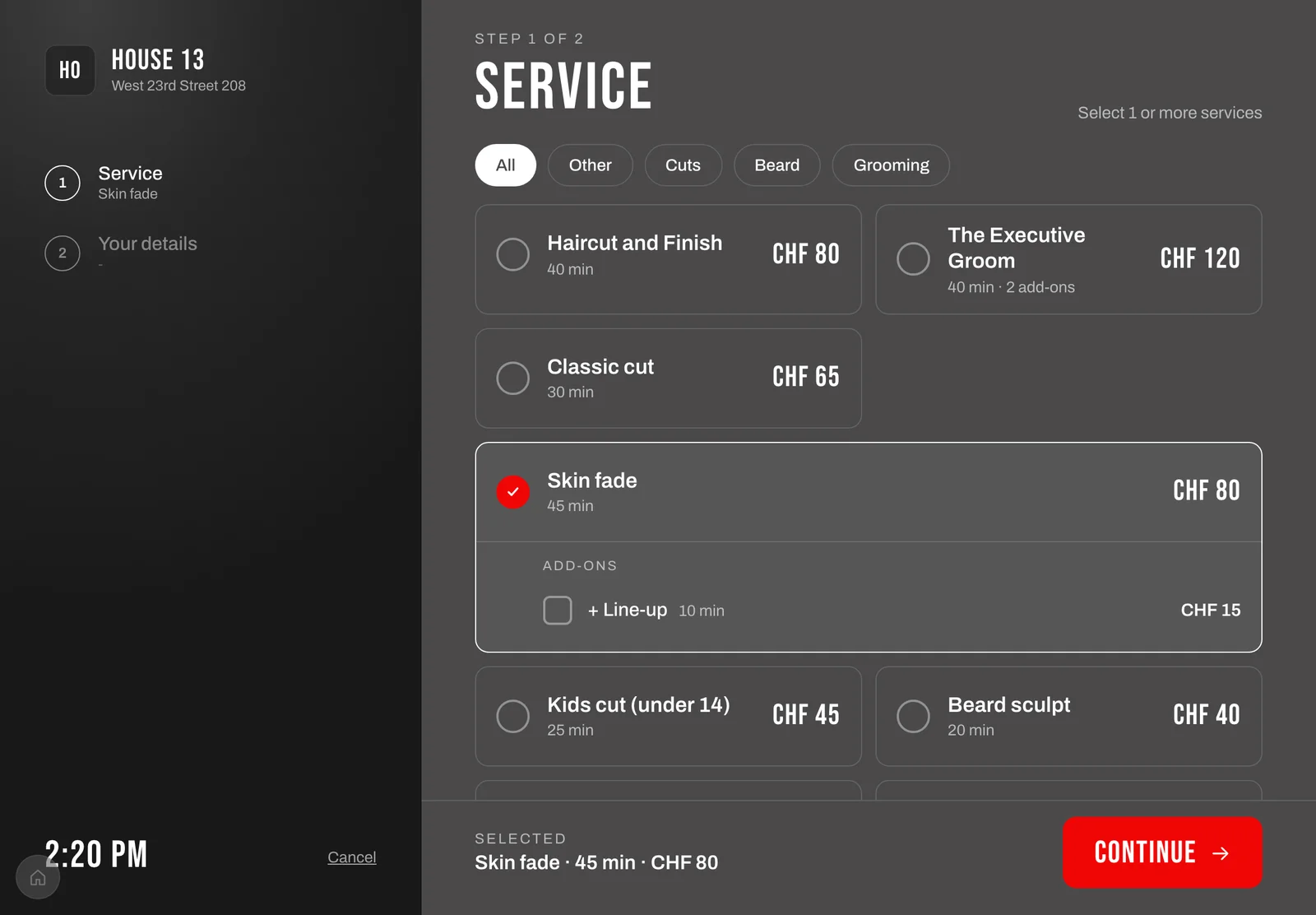
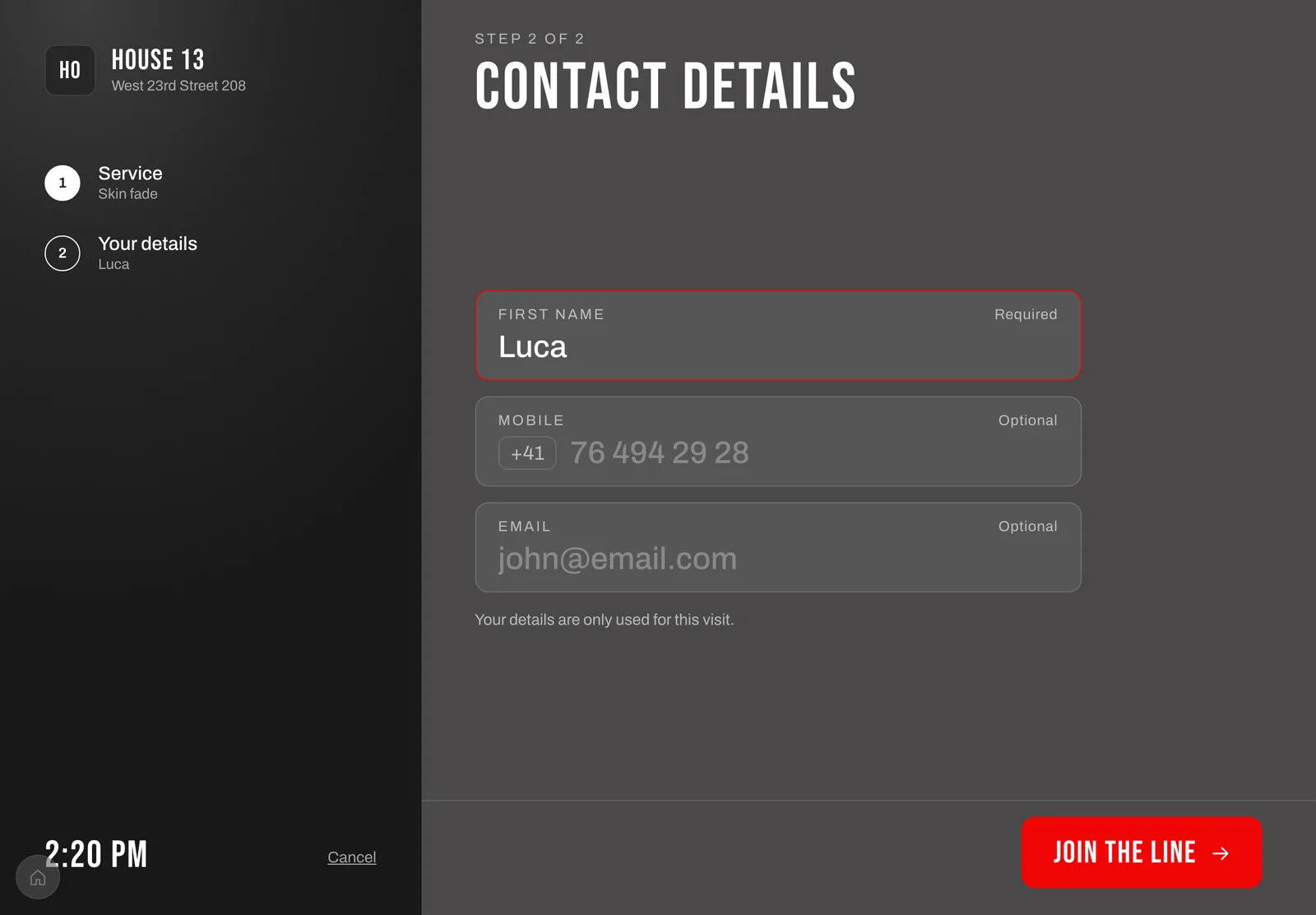
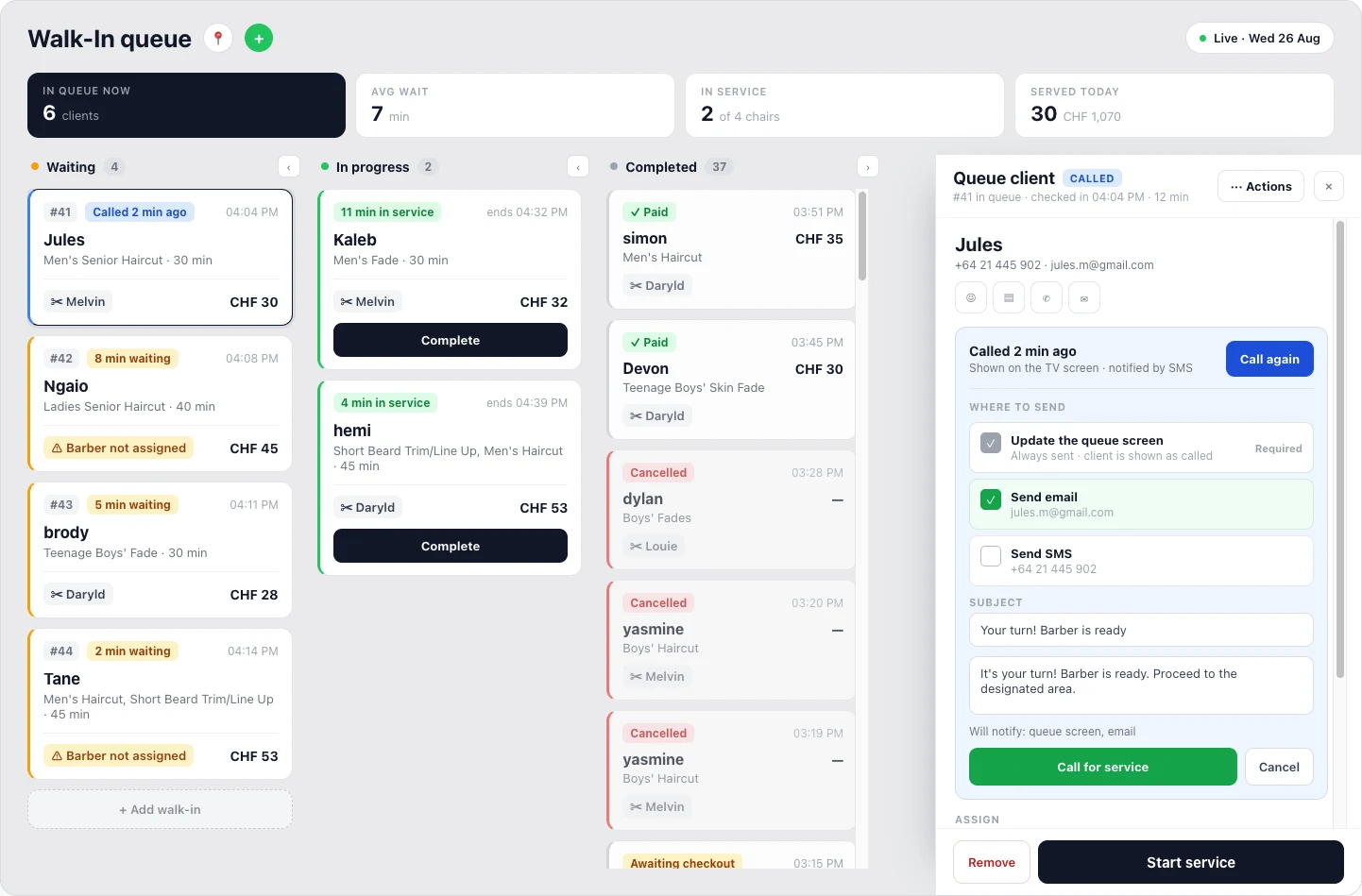
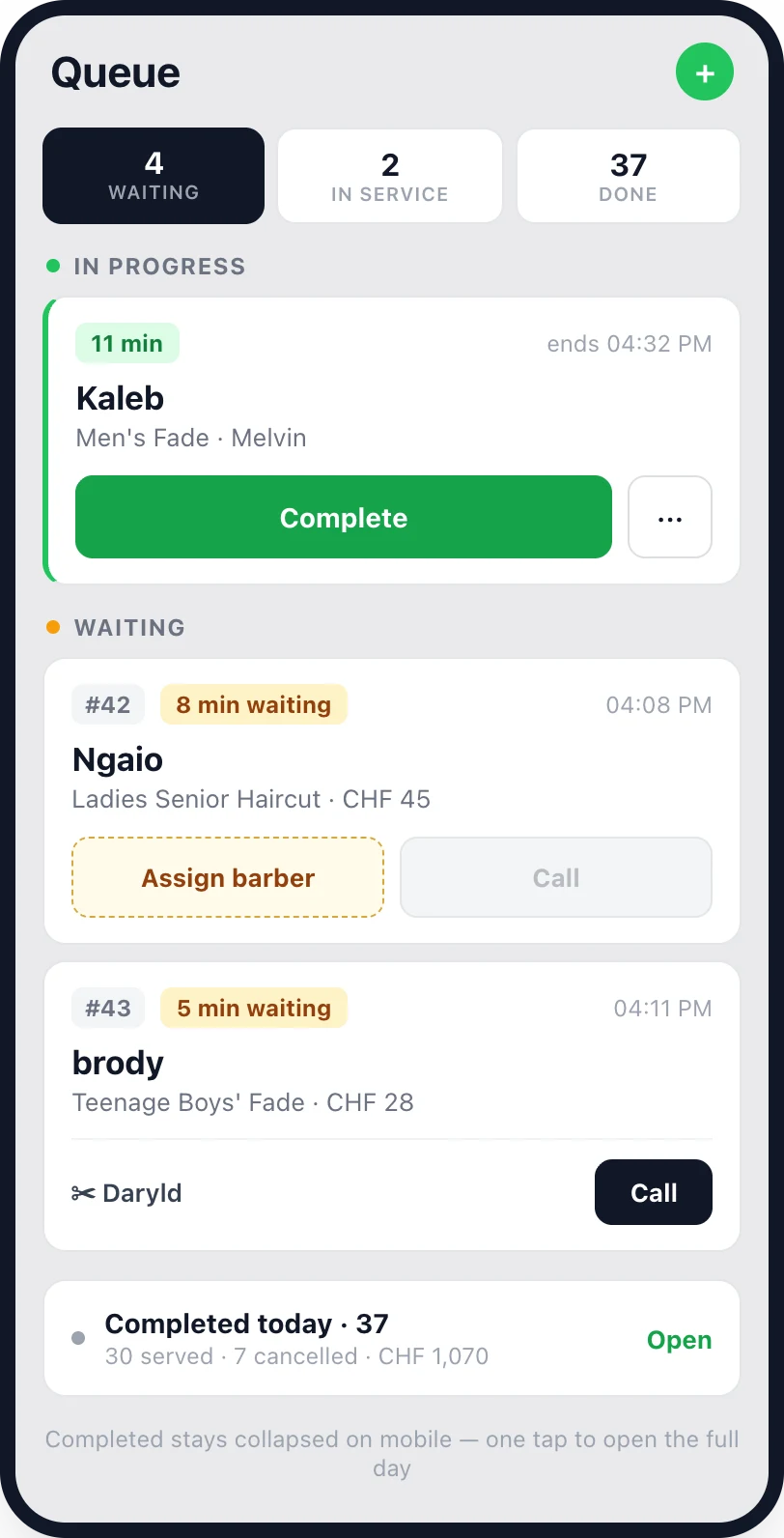
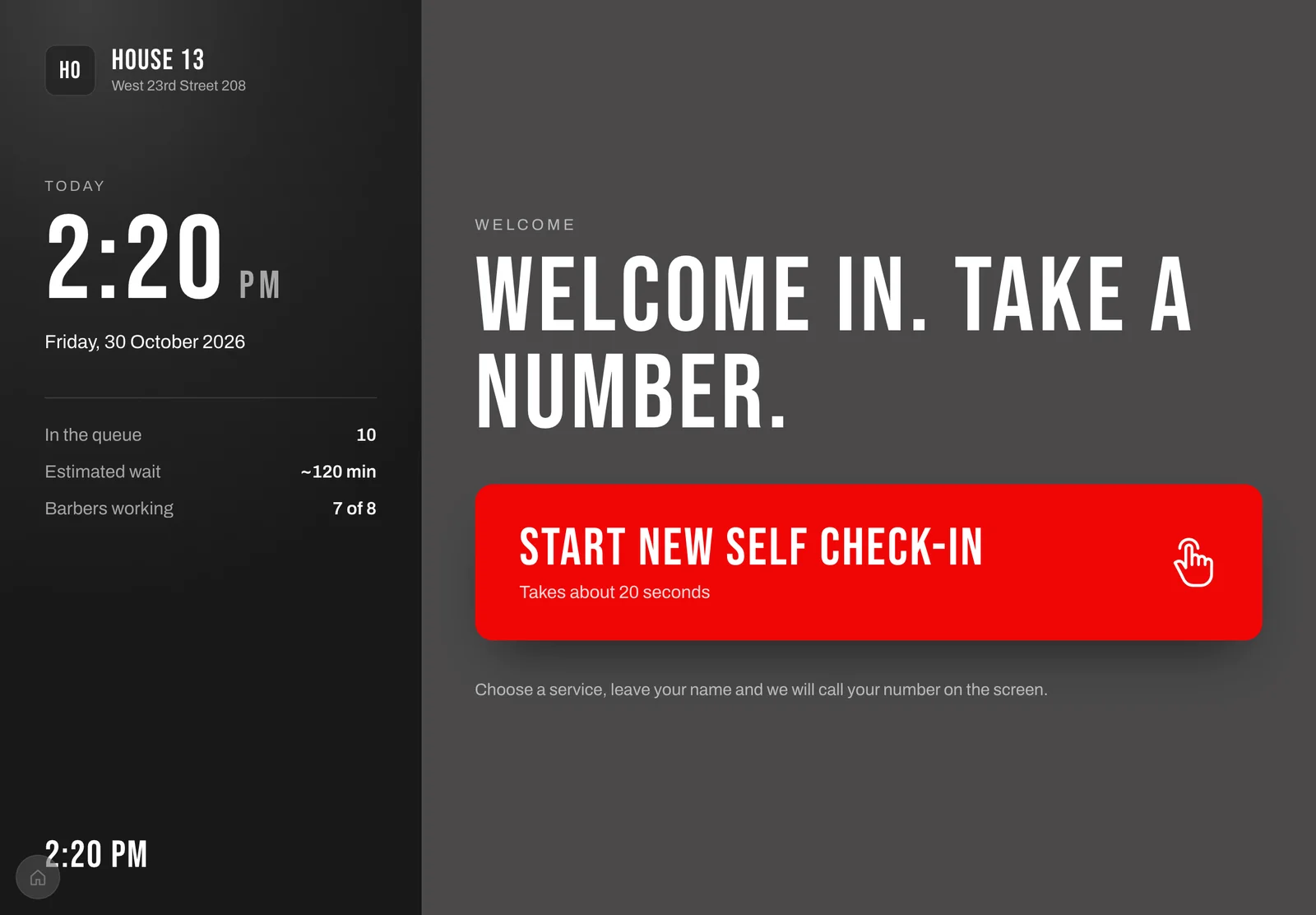
Clients check themselves in on a tablet at the door and wait for their number on the TV. Your team calls the next client from the Barberly app, and the client gets a message when it is their turn.
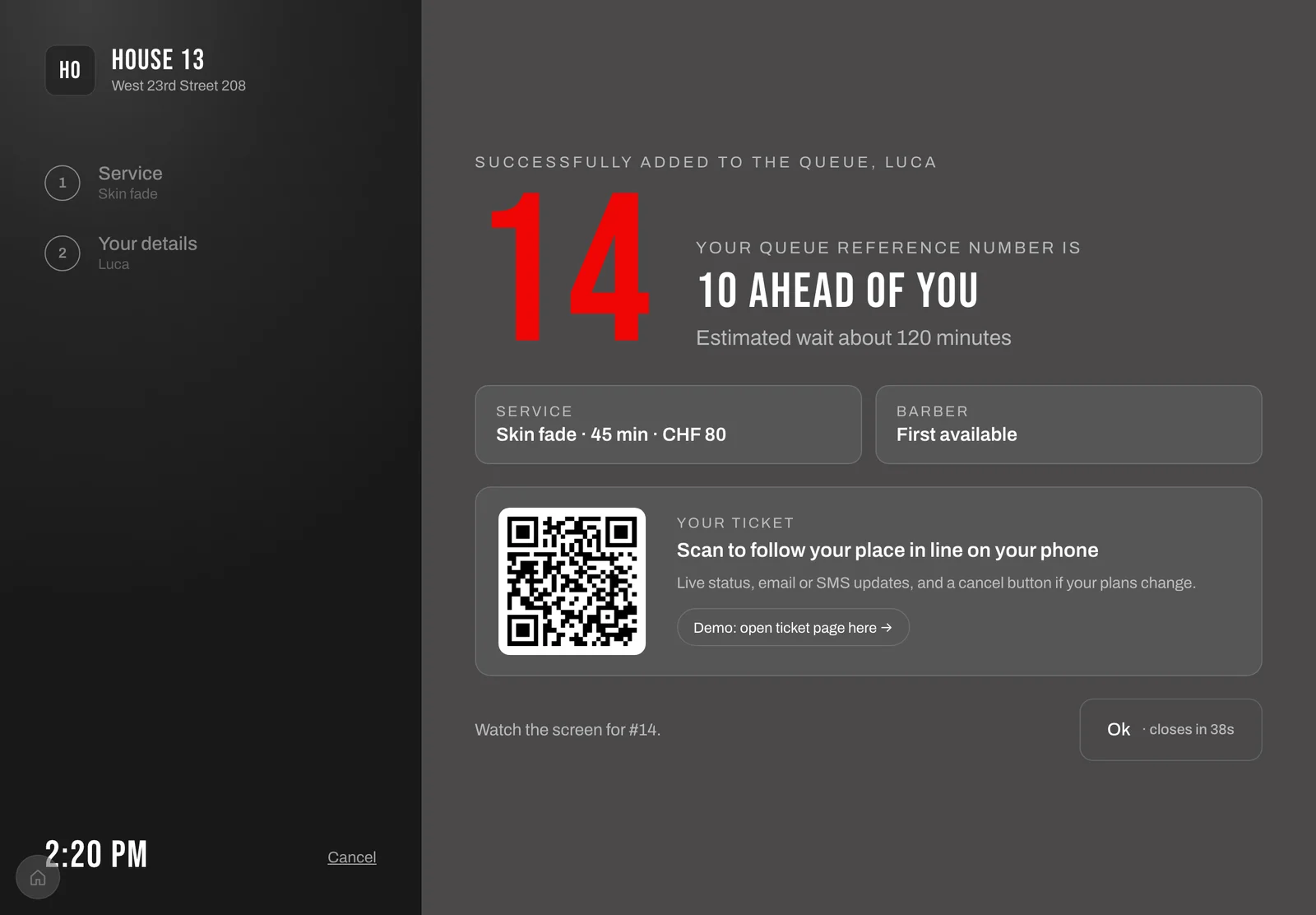
Pick the mode that fits your shop. You can switch any time in the portal.

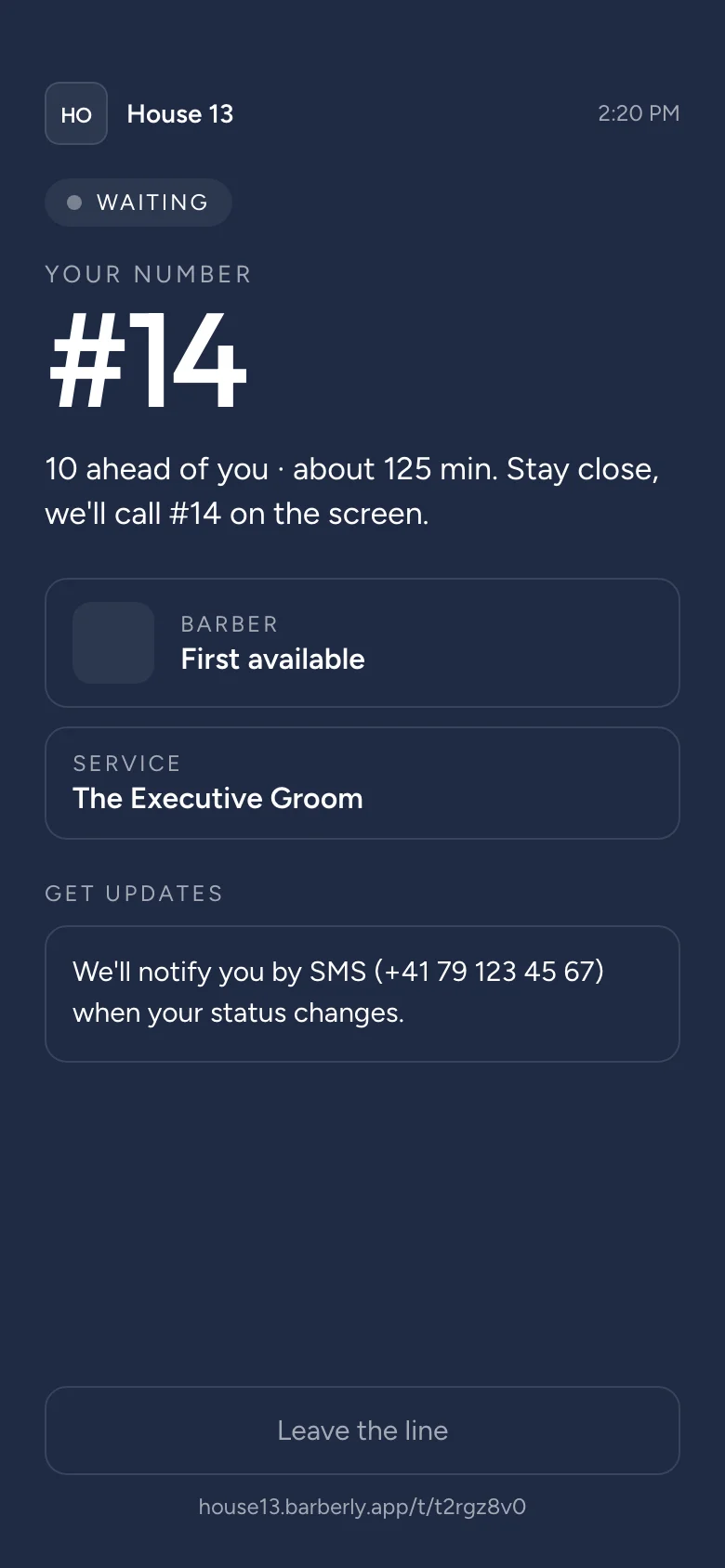
The client gets a number and waits for it on the TV. First come, first served, or with a chosen barber. Good for shops that are mostly walk-in.

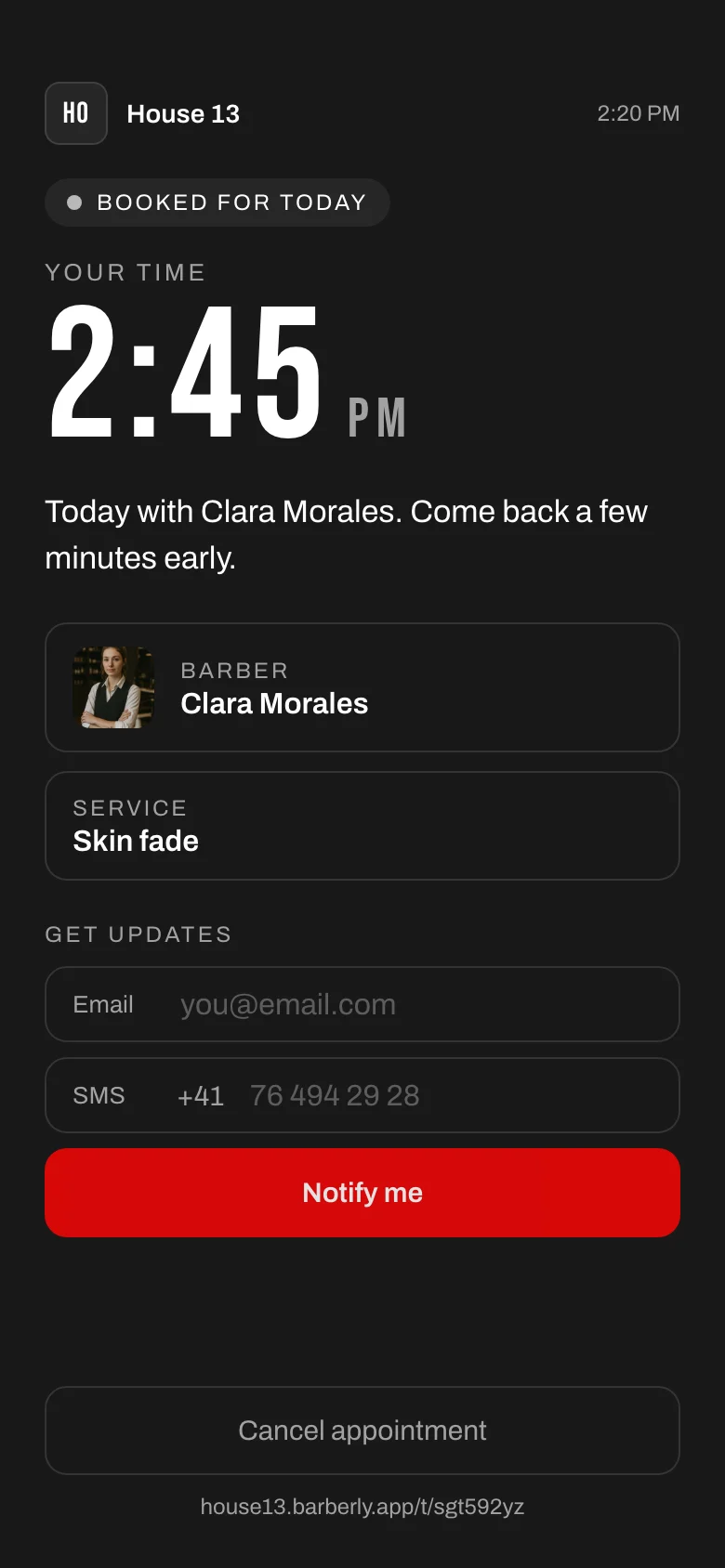
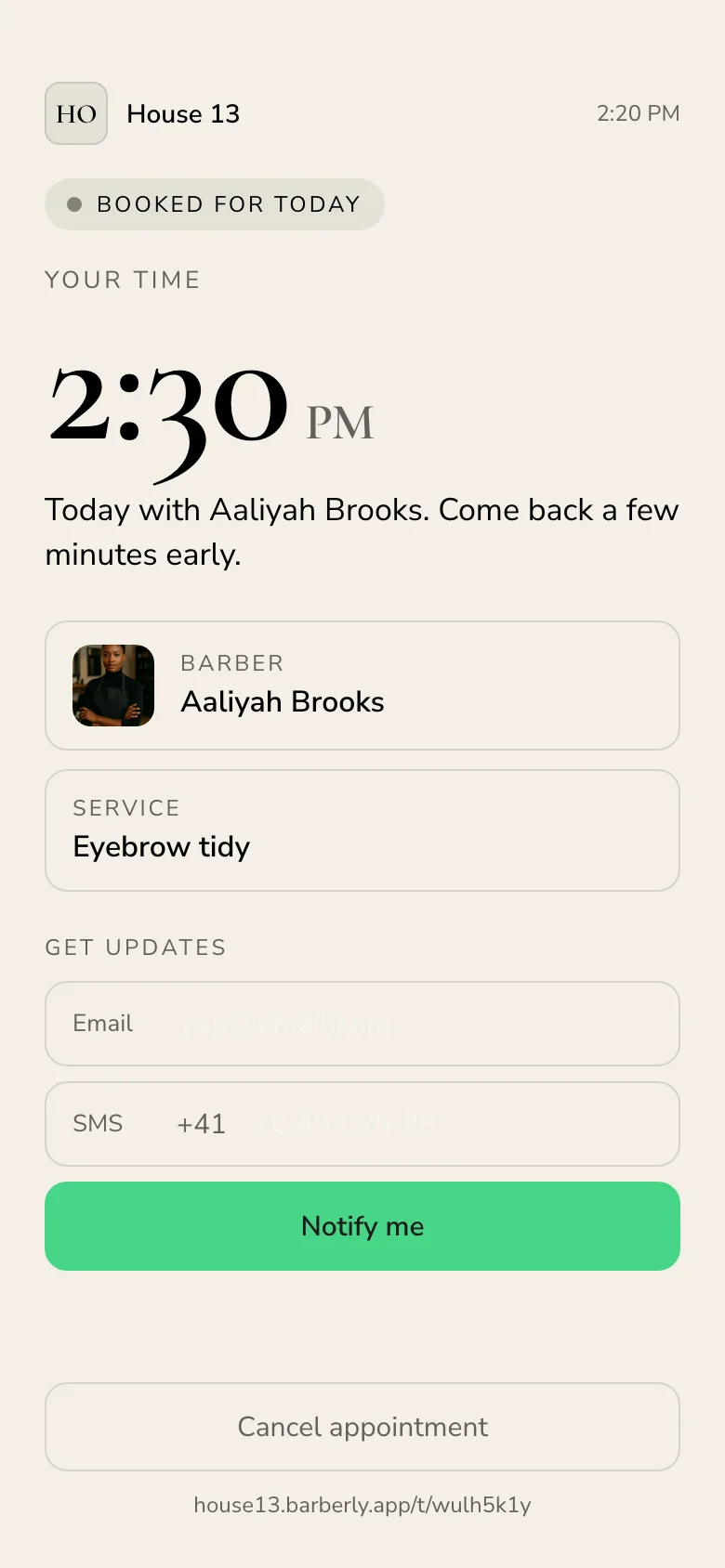
The kiosk books the client into the next free slot of the chosen barber. Walk-ins and online bookings share one timeline. Good for shops where most clients book ahead.
A tablet at the entrance does the front desk work. No receptionist needed for walk-ins.


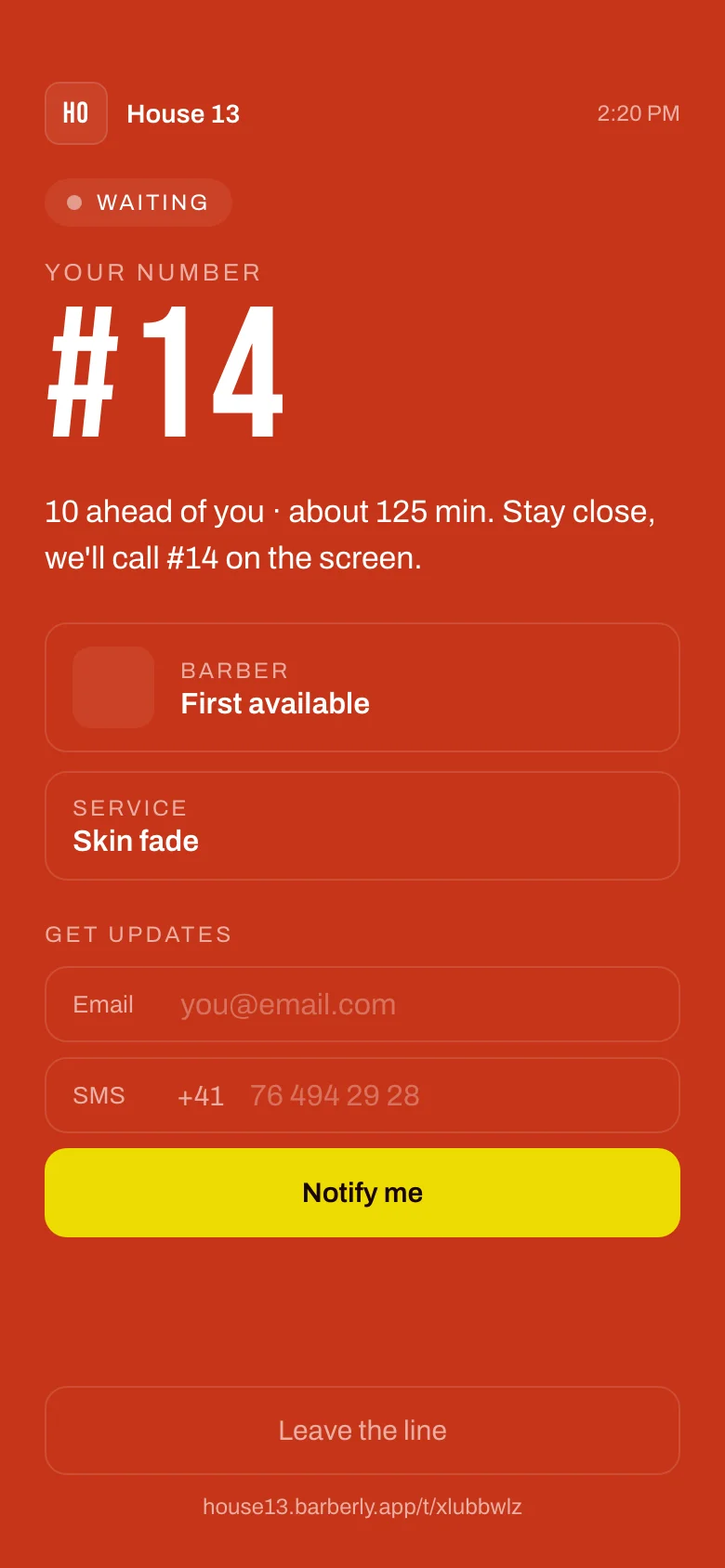
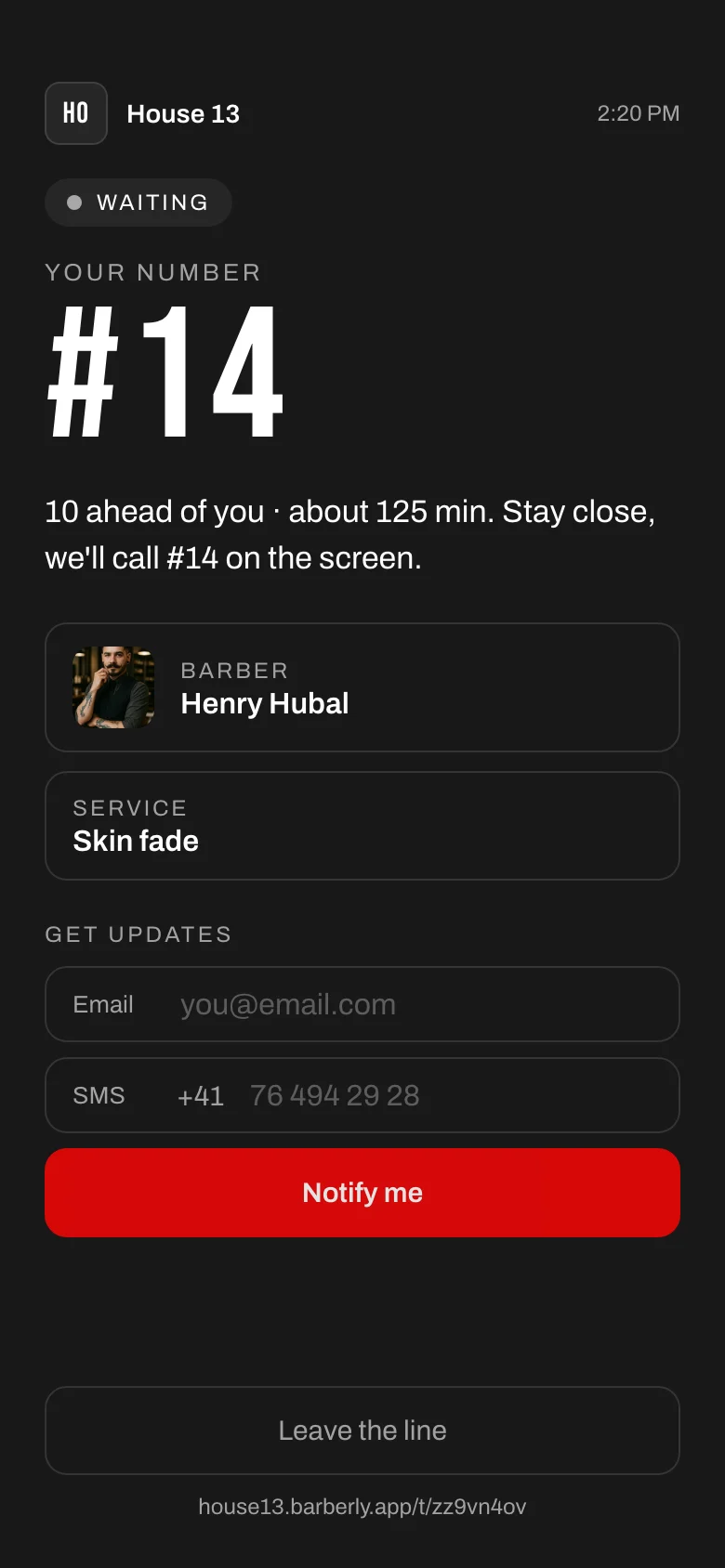
After check-in the client scans the code on the kiosk. The ticket shows the number or the time, the barber and the live status. Nothing to install.


Who is called and to which barber, who is waiting, and the estimated wait. The screen updates live as your team works, so nobody has to ask.
Today per barber on a timeline, with a line for now. Online bookings, walk-ins and kiosk check-ins sit in the same rows.
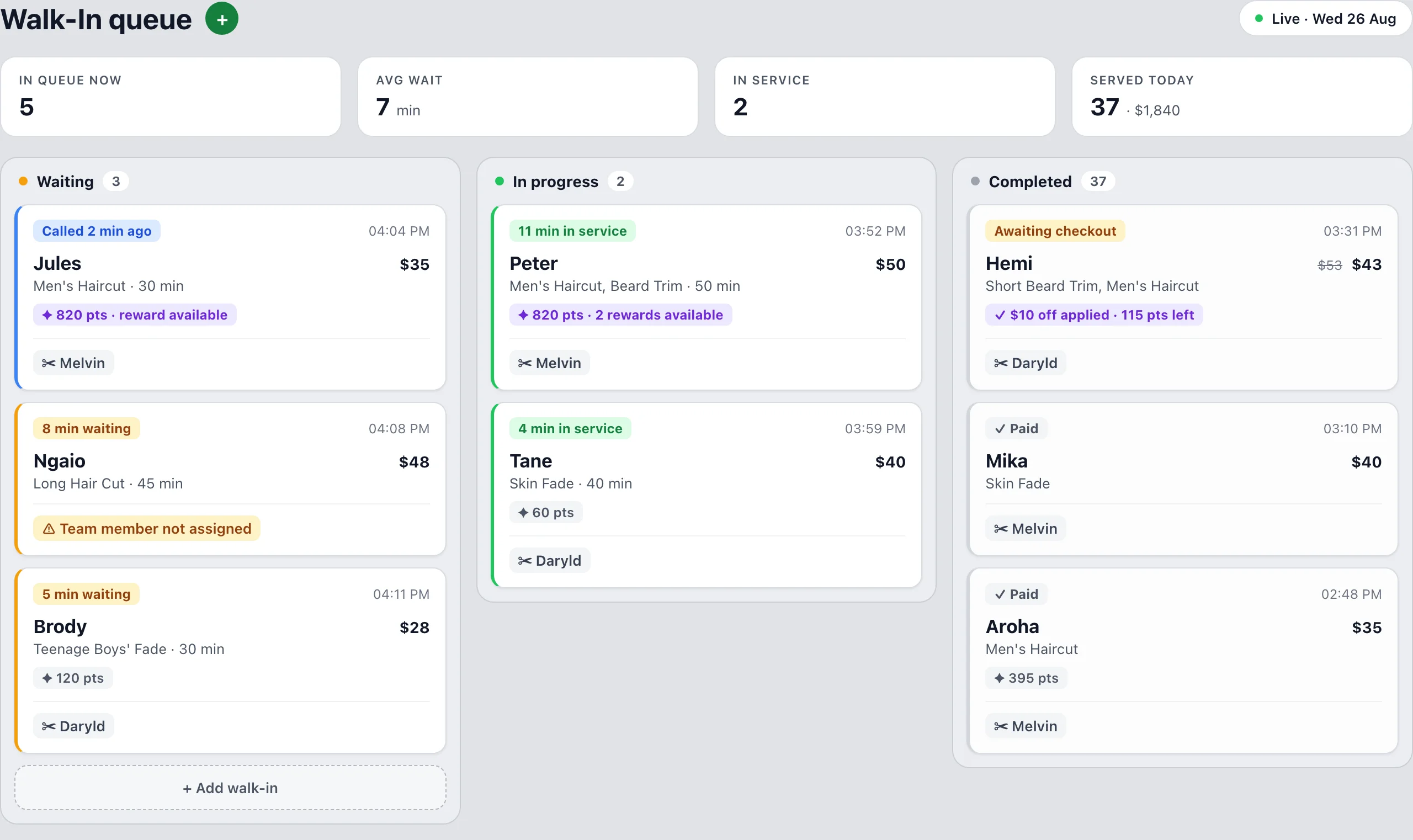
Clients who check in with their phone number bring their points with them. The queue card shows the balance, the barber applies a reward when service starts, and a reminder before checkout keeps it from being forgotten.

Every barber sees the queue in the Barberly app, on a phone or a tablet at the front desk, and works it from the chair.
When a client is called, they get an email or an SMS.


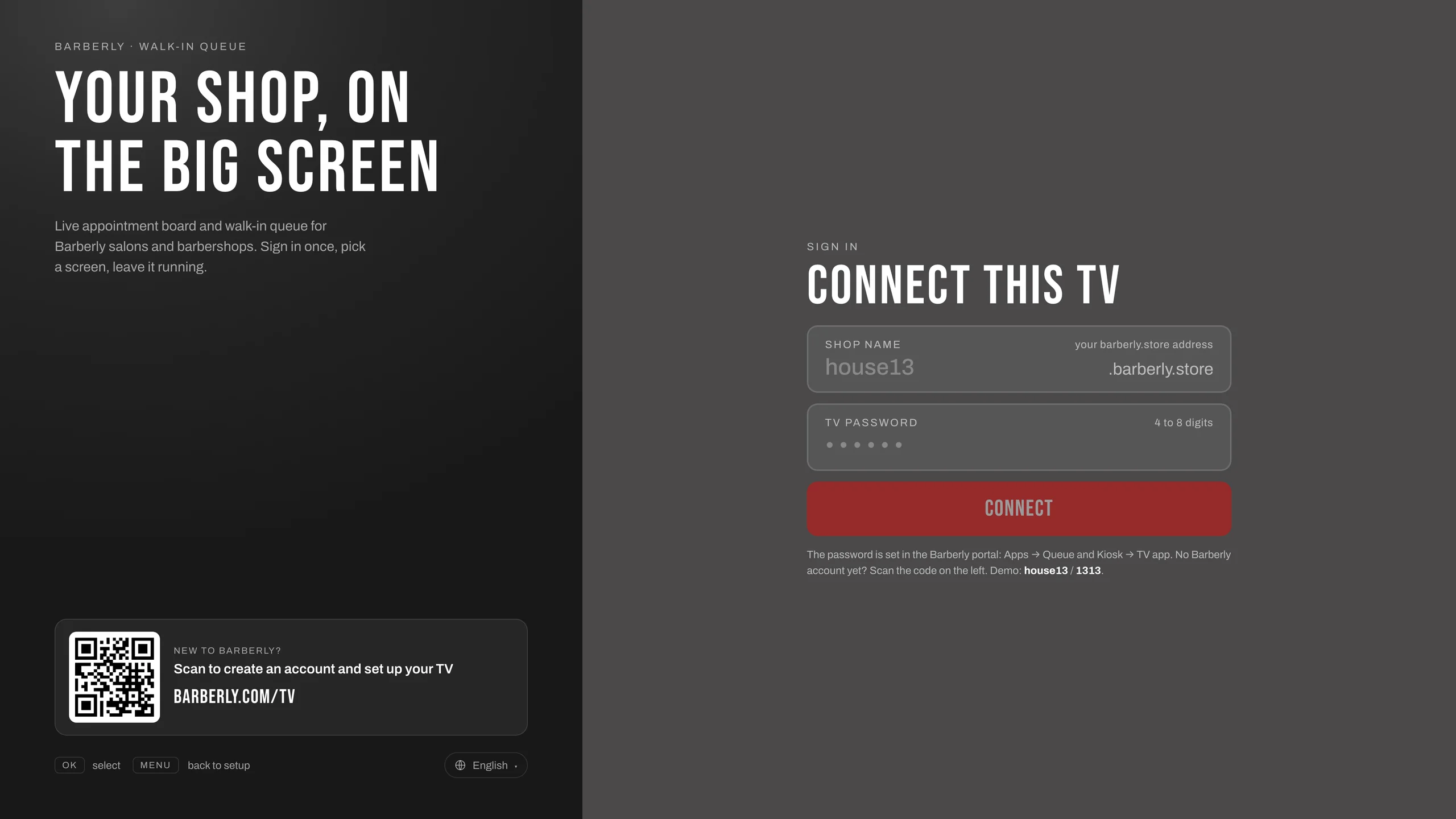
Barberly: Walk-in Queue. Sign in once with your shop name and TV password, pick a screen and leave it running.
On the TV it shows barberly.com/tv

Three steps and your TV shows the queue.
The kiosk, the queue screen, the appointment board and the TV app come with every Barberly plan. Use the tablet and the TV you already have.
Compiled from the most common inquiries received by our support team
Clients check in on a self check-in kiosk, a tablet at your entrance. They pick a service, leave a name and get a number. In the next free time mode they also pick a barber and a time.
Yes. The queue screen on your TV shows who is called, who is waiting and the estimated wait. Clients can also follow their ticket on the phone by scanning the code on the kiosk.
Yes. After check-in the client can sign up for updates by email or SMS, and gets a message when they are called.
From the Barberly app. Call the next client, start and complete a visit, skip someone who left, or move a client to another barber.
Yes. The appointment board shows walk-ins, kiosk check-ins, online bookings and staff appointments in one timeline per barber.
No. Any TV with a browser can show the queue screen or the board. The app for Apple TV and Google TV is easier to leave running, because it signs in once and opens the same screen after a restart.
A tablet for the kiosk, iPad or Android, and a TV if you want to show the queue. Barberly does not sell hardware, so you use what you have.
Yes. Clients who check in with their phone number earn and use points like clients with appointments. The barber applies rewards from the client panel in the queue.
Yes. The walk-in queue works on its own. If your shop only serves walk-ins, use the kiosk and the queue screen without online booking.
The ways to put the Barberly queue screen or appointment board on a shop TV: the TV app for Apple TV and Google TV, a browser on a smart TV, or a computer connected to the TV.
ReadThe walk-in kiosk was rebuilt: two check-in modes, a ticket on the client's phone, a queue screen for the TV, an Apple TV and Google TV app, one settings page.
ReadAccess every Barberly feature free for 30 days. No credit card required.